Who it is for
Built for three kinds of responsibility
-
Schools or Educational Institutions
Campus PCs, lab machines and take-home student tablets on one policy. Run each campus as a branch, keep shared machines stricter than staff laptops, and let the rules follow a device home at the end of the day.
-
Companies
Staff laptops, shared machines and the phones people bring in themselves. Block adult content, gambling, malware and phishing across the whole device, put time limits on the sites that eat the day, and give each department the policy that suits its work.
-
Addiction Management Helplines
Set someone up with an accountability device. App and website blocking, social feed controls and daily time limits are set in the console by the counsellor - not on the device by the person recovering from digital, pornography or gaming addiction.
The benefits
Protection you run from one place
-
Set the rules once
A policy lives in the console. Change it there and every device that follows it picks the change up, wherever those devices happen to be.
-
Rules that hold in every browser
Filtering runs on the device itself, at DNS level and app level, so the policy applies across the whole device.
-
Different rules for different groups
A staff laptop, a classroom PC and a student tablet each need their own policy. Every fleet carries one, and a single device can still be given an exception.
-
Joining takes a code
Install Kahf Guard, type the code the admin gives you, and the device arrives already carrying its policy.
How it works
One place to manage every fleet
The console is organised the way schools and companies already are. Your organisation is the tenant; inside it sit branches - a campus, section or department - and inside those, fleets: named groups of devices. Each fleet points at one policy, and a join code drops a new device straight into the fleet you chose.
- A policy is the rule set: blocked categories, website block and allow lists, apps, social feeds and time limits.
- Devices join a fleet by typing a join code — one-off codes land a device straight in a named fleet.
- A policy defined at the organisation root can be used by any branch, but never by another branch’s fleets.
Diagram: an organisation admin console at the top, holding the admin roles and the join codes. Below it sit two branches. Each branch holds a fleet of devices, and each fleet points at one policy. The devices in each fleet - phones, tablets and laptops - follow that policy. Devices join a fleet by typing a join code, and a policy defined at the organisation root can be used by any branch.
On the device
What the policy actually does
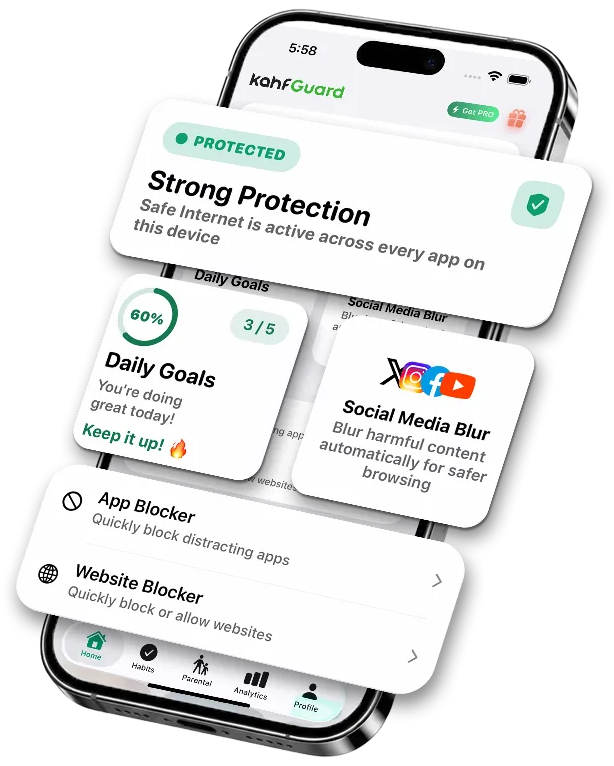
- Screen time, app usage and website activity for the day, on the device.
- Apps blocked by category or by name, with a clear block screen.
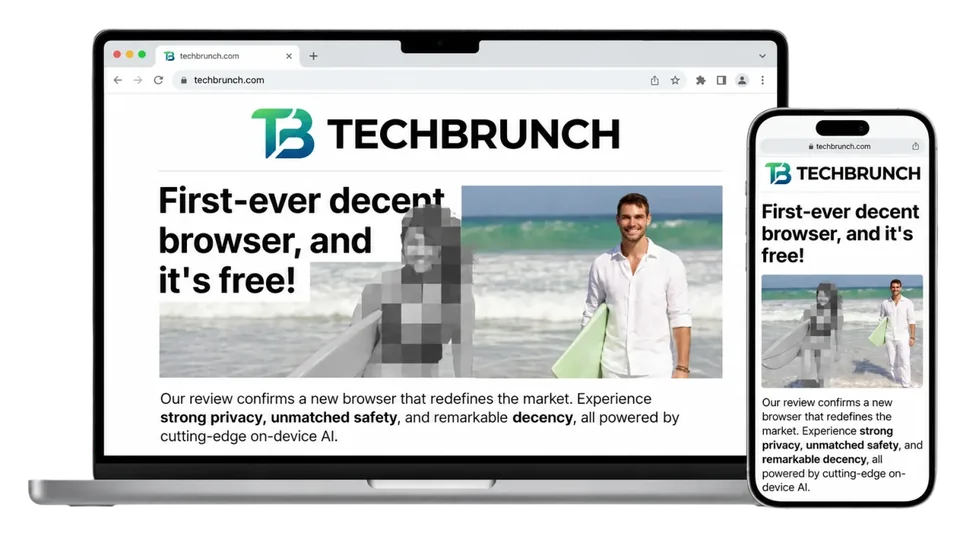
- Websites blocked by rule in the browser, or stopped at DNS level before they resolve.
- Daily time budgets that close a site or app when they are used up.
A school, on campus and at home
Kahf Guard filters on the device itself, so a fleet’s policy travels with the device — the school network is not what enforces it.
Kahf Guard filters on the device — DNS-level category blocking plus app and website rules — so the same rules apply on any network the device connects to.
Diagram: a school admin console sets one policy, "Year 8 students", for the fleet "Year 8 devices". The same policy reaches the fleet’s devices on the campus network in classrooms and the same fleet’s devices at students’ homes on home Wi-Fi or mobile data, because filtering runs on each device.
Enterprise console
A rule added centrally, arriving on a PC
- Issue a one-off join code and hand it to whoever sets the device up.
- The device names the organisation it is joining before it joins.
- Every enrolled device is listed with its fleet, who uses it, and its current status.
- Edit the policy once; devices following that fleet pick up the change.
What you get
What the console gives you
-
DNS-level filtering
Whole categories - adult content, gambling, malware and phishing - are turned away before the page loads, in every browser on the device.
-
App and website rules
Block or allow named apps and domains, keep an always-allowed list for the tools your people actually need, and block risky words in content.
-
Social feeds and time limits
Turn off Shorts, Reels and TikTok feeds while leaving the rest of a site usable, and give a site or app a daily budget that closes it when it runs out.
-
Per-fleet policies
Every fleet points at one policy. A branch can use a policy defined centrally, but never another branch’s - so nobody inherits rules meant for someone else.
-
Per-device exceptions
A device either follows its fleet or carries an override. Leave it following and a fleet change reaches it; override it and only that device differs.
-
Admins with the right scope
A super admin runs the organisation, an admin can be scoped to a single branch, and a viewer can read the dashboards without changing anything.
Questions organisations ask
What is a fleet?
A named group of devices plus the policy they get - for example "Class 8 tablets" or "Front office PCs". A device belongs to one fleet, and the fleet decides its rules unless the device has its own override.
How does a device join?
Install Kahf Guard on the device and type the join code your admin gives you. A one-off code expires and puts the device straight into a named fleet; your organisation’s default code never expires and leaves the device without a fleet for an admin to assign.
Can one device have different rules from the rest of its fleet?
Yes. A device either follows its fleet or stores an override. Devices that follow their fleet pick up every change made to it; an overridden device keeps its own settings.
Can a campus manage its own devices?
Yes. A branch is a campus, section or department, and an admin can be scoped to one branch. The console shows them that branch only; a super admin sees the whole organisation rolled up. Server-side enforcement of scope is still being built.
Does it need new hardware or network changes?
No new hardware and nothing to install on your network. Kahf Guard is an app on each device, with DNS-level category blocking plus app and website rules.
Is Kahf Guard Enterprise available now?
Not yet. The console is an early-access prototype: organisations, branches, fleets, policies, join codes and the device dashboards work with sample data, while sign-in through Kahf ID and organisation-wide reporting are still being built. Contact us to talk about early access.
What does it cost?
Organisation pricing is not set yet. Tell us how many devices you have and how they are used, and we will come back to you.
Tell us about your devices
Schools, companies and helplines: send us how many devices you manage and who uses them, and we will show you the console and set your organisation up.